
04 Know how to utilize P2 viewer : Part 1/2

Hint to shorten material ingest time by using AJ-PCD35 card drive & P2 viewer Ver.3.6

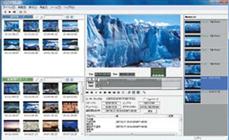
P2 viewer is a windows application to view, filter P2MXF clips and edit META DATA.

For Macintosh, P2 viewer’s function is also available as a one of the features on the P2 Contents Management Software (P2CMS, available in PASS for free download).

P2 viewer (windows version)
P2 viewer (Windows version)


▌Thoroughly use faster transfer capabilities, using "P2 Ingester"


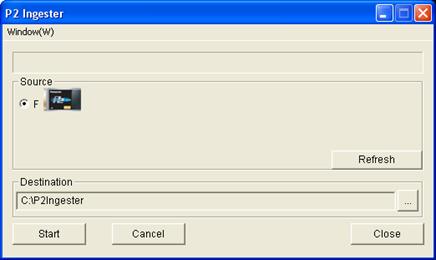
"P2 Ingester (*1)", newly featured on the P2 viewer version 3.6 allows copying of the entire contents of P2 cards (up to two cards simultaneously) to HDD with a faster transfer rate.

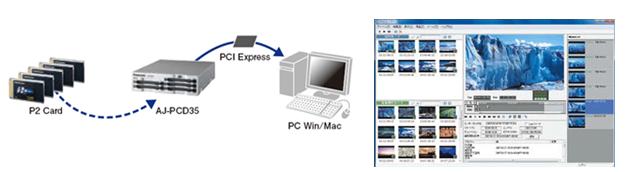
"Transfer footage from two P2 cards simultaneously (Simul-ingest)" , "Make back-up copy while ingesting footage" such operation can be performed by using together with the AJ-PCD35, which achieves file transfers exceeding 1.0Gbps(*2) with the new PCI express interface.

*1: "P2 ingester" is only available with P2 Viewer (windows version). Not available with P2CMS for Mac.
*2: Transfer rate varies depending on the system, the application software, the version of the P2 card and other conditions.


Usage example 1 : Simul-ingest from 2 cards (a way to improve card rotation speed)

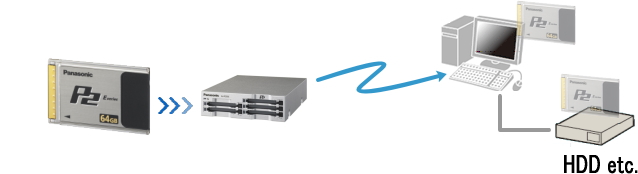
Footage from two P2 cards can be ingested simultaneously, helping to improve card rotation speed.


Usage example 2 : Simul-transfer, doing ingest & back-up

A back-up copy can be made even while ingesting footage from a card to a computer. Simultaneously copying footage to different destinations can help to reduce total operation time of projects.


How to use P2 ingeter


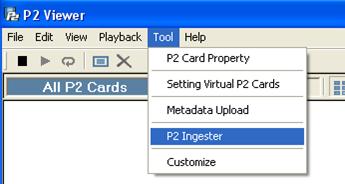
1.   Start the P2 viewer (version 3.6 or higher) and open "Tool (T)" - "P2 Ingester (I)".


2.   In the "P2 Ingester" window, specify a card in the "Source" area and the "Destination" then click the "Start" button.

3.   Click "Window (W)" to open an additional "P2 Ingester" window. Two windows can be opened simultaneously.


(C) Copyright Panasonic Corporation 2012